Canon Imaging App Service Plans
Select your language
How to activate
1. Purchase an eligible plan
To use camera extensions, you need to purchase an eligible paid plan.
Camera extension plans are currently being prepared for sale. Please wait until sales begin.
2. Use the camera to save a request file to the memory card
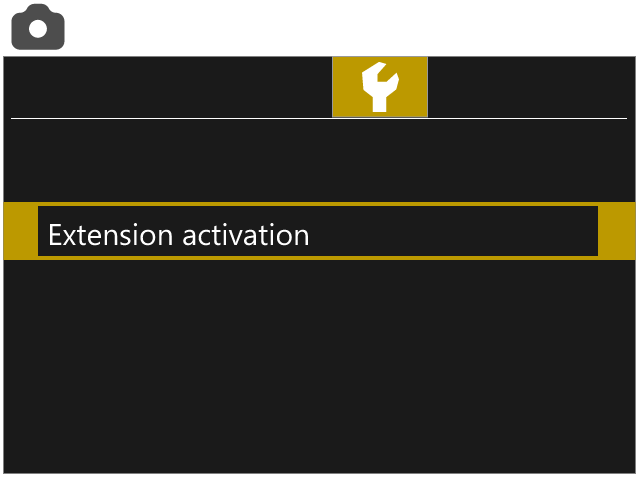
Select [
 : Extension activation].
Select [Save request file].
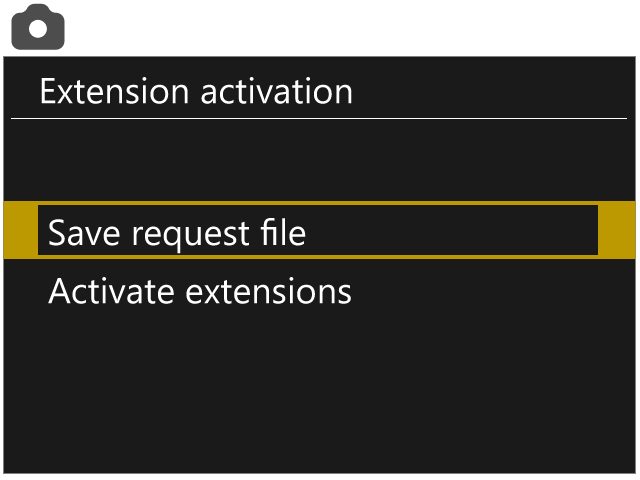
Follow the on-screen instructions to select the extensions to activate and save the request file to the card. Then copy the request file saved on the memory card to your PC.
*
Available extensions vary depending on your camera model.
3. Upload the request file
On your PC, open the screen for the plan you are using. Select the plan you purchased, then upload the request file created by the camera.
4. Download the activation file
When the upload succeeds, your camera is registered to the plan you purchased, and you can download the activation file required to activate the extensions.
5. Load the activation file on the camera
Copy the activation file you downloaded to the memory card and insert the card into the camera.
Select [
: Extension activation].
: Extension activation].
Select [Activate extensions].
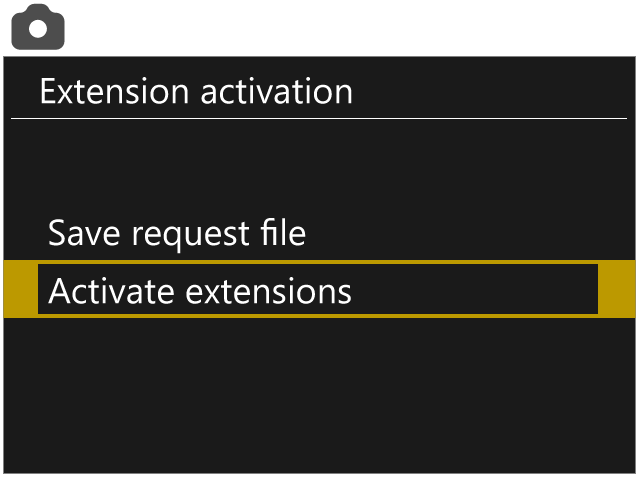
Select the activation file on the memory card to activate the extensions.